Pango Factory: Coding Game
Studio Pango - Kids Fun preschool learning gamesEducational
3.16.00 Reviews
- Version
- 1.5.0
- Installs
- 10.00K
- Age Rating
- Everyone
Screenshots
Our Review of Pango Factory: Coding Game
 Analysis by Appyee
I approached Pango Factory: Coding Game as a parent looking for a gentle first step into logic activities, rather than as a traditional action game. It is an educational game from Studio Pango - Kids Fun preschool learning games, designed for children who are beginning to understand order, cause and effect, and simple problem solving. The central appeal is that it turns those ideas into playful challenges instead of presenting them as lessons on a worksheet.
My first impression was that the game makes more sense when an adult treats it as a shared activity at the beginning. A child can explore independently, but a short conversation about what should happen first and what might happen next adds much more value. The game is marked Everyone, and it is intended for young learners, although the right age will depend on how comfortably a child handles instructions, visual patterns, and trial and error.
The game costs $5.99, so I would not describe it as a casual download for every family. The paid approach can be attractive if you specifically want a focused logic game, but it also means you should think about whether your child enjoys this type of activity before buying. Its average rating is 3.1 from around 80 ratings, while it has passed 10K+ installs. Those figures suggest a modest audience and a mixed reception, so I would approach it with realistic expectations rather than assuming it will suit every preschooler.
Getting started and finding the first success
I’d use the first session to learn how your child responds to the game, not to see how many challenges they can finish. Sitting together and asking what they expect to happen next can make the first success feel understandable rather than lucky. Once your child can explain one choice in their own words, you have a useful cue for deciding whether to offer a hint, let them continue alone, or take a break.
What the game is trying to teach
The useful idea behind Pango Factory is not simply tapping the correct picture. The child is encouraged to think in sequences: something needs to happen before something else, and a mistake in the order can prevent the intended result. That makes the game a practical introduction to early coding concepts without requiring text-based programming or complicated symbols.
In everyday terms, the child is practicing how to break a task into smaller actions. That is a skill that appears in many ordinary situations, such as getting dressed, preparing a snack, or putting toys away. The game gives parents an easy way to talk about those habits without turning the conversation into a formal lesson.
I would introduce it by saying, “Let’s see what needs to happen first,” instead of immediately showing the answer. That small change matters. If an adult solves every challenge, the child may complete the activity but miss the reasoning. If the adult waits and asks a simple question, the child has room to predict, test, and adjust.
What to do after installing it
The current version is 1.5.0, and it runs on devices using Android 6.0 or later. After installing, I would open it when the child is not already tired or distracted. A first session works best as a short introduction, with the adult sitting nearby and letting the child touch the screen before offering help.
Rather than trying to rush through every available challenge, I would stop after the first clear success and ask the child to explain what happened. This is one of the most useful ways to turn screen time into learning time. The explanation does not need to be technically correct. Even “I did this, then that happened” shows that the child is beginning to connect actions with results.
Parents should also check the device before handing it over. A larger screen can make visual elements easier for small fingers to control, while a cramped display may create unnecessary frustration. I would keep the device stable on a table and avoid starting the game during a rushed car journey or a noisy family gathering. The activity depends on attention, so the environment affects the experience more than many parents expect.
The first meaningful action
The first real milestone is not finishing a group of puzzles. It is when the child makes a prediction before tapping. For example, ask which action should come first, then let the child try it. If the result is wrong, resist the urge to correct immediately. Ask what changed and whether another order might work better.
This approach gives the game a simple three-step rhythm: predict, test, and explain. It is a practical routine for a preschool child because it keeps the focus on thinking rather than on getting a perfect result instantly. I found that this also helps parents see whether the child understands the sequence or is merely tapping until something works.
A useful variation is to let the child become the teacher. Once a challenge has been completed, ask the child to tell you the order while you pretend not to know. This can reveal whether the solution is understood. A child who can repeat the sequence in their own words is showing a deeper grasp than a child who only remembers where to tap.
Where younger players may hesitate
The main source of confusion is likely to be the difference between an action that looks appealing and an action that is useful at that moment. Young children often choose based on what they want to happen rather than what the sequence requires. That is not a flaw in the child; it is exactly the kind of thinking the game is meant to develop.
When this happens, I would avoid saying “wrong” too quickly. “What were you expecting?” is more helpful because it encourages the child to connect intention with outcome. If the child cannot answer, simplify the task verbally: “Which thing has to happen before the next thing can work?” This keeps the explanation grounded in order and consequence.
Another possible sticking point is that a child may understand a solution but struggle with the physical interaction. Small hands do not always land accurately, and an accidental tap can make a child think their reasoning was wrong. Watch for this distinction. If the child explains the correct order but misses the control, offer help with the touch rather than changing the puzzle into an adult-led exercise.
How I would handle repeated mistakes
Repeated attempts are valuable only while the child remains curious. If frustration starts to replace curiosity, I would pause instead of pushing toward completion. A short break can protect the positive association with the game. Returning later also gives the child a chance to remember the earlier problem without feeling that the screen is demanding an answer.
I would also avoid turning the game into a test of speed. Quick tapping is not the important outcome here. A slower child who carefully explains why an order works may be learning more than a faster child who guesses successfully. The best adult support is calm and limited: one question, one hint, and then enough silence for the child to think.
Using it in an ordinary family routine
A realistic use case is a short session after preschool, before dinner, when a child wants screen time but still has enough energy to concentrate. I would sit with the child for the first challenge, use the predict-test-explain routine, and then allow a little independent play. Before stopping, I would ask the child to describe one sequence without looking at the screen.
That final conversation is a non-obvious strength of this kind of game. The learning does not have to end when the device is put away. You can connect the same idea to a real routine: “What do we do first when we wash our hands?” or “Which piece goes on before we build the next part?” The game becomes a prompt for everyday reasoning rather than an isolated digital activity.
I would not use it as a reward for finishing chores if the goal is to build patience and problem solving. Linking it too tightly to rewards may encourage rushing through the challenges. It works better as a small shared activity with a clear beginning and end, especially for children who become absorbed in screens easily.
How it compares with other choices
Compared with ordinary preschool videos, Pango Factory asks the child to make decisions rather than simply watch. That makes it a better choice when you want active participation and a chance to discuss reasoning. A video may be more suitable for a tired child who needs quiet entertainment, but it will not usually provide the same opportunity to test an order and see a consequence.
Compared with paper puzzles, the game offers immediate visual feedback and removes the need for a parent to prepare materials. Paper activities can still be better for children who enjoy drawing, moving physical pieces, or working away from a screen. They also make it easier for an adult to adjust the difficulty by changing the instructions.
Compared with advanced coding apps, this is a gentler starting point. It does not require a child to read code or understand formal programming language. That simplicity is helpful for preschool learners, but older children who already understand sequences may find the experience too basic. In that situation, a more open-ended coding tool would offer greater room for creation and experimentation.
Who should consider paying for it
I think the $5.99 price makes the most sense for a family that wants a dedicated educational game and expects to play alongside a young child at least at first. The value is not only in keeping a child occupied; it is in having a structured reason to talk about order, choices, and results.
I would skip it if you are mainly looking for a broad collection of activities, creative drawing tools, or a game that can entertain several age groups. The educational focus is specific, and the paid price deserves a clear reason. I would also be cautious if your child strongly dislikes puzzles or becomes upset whenever an attempt does not work immediately.
Children who enjoy arranging objects, following routines, or asking what happens next are more likely to connect with the game. Children who prefer fast movement, open-ended building, or pretend play may need a different kind of app. That does not mean Pango Factory is poor for them; it simply means its central challenge may not match their natural interests.
What the developer and device details mean in practice
The developer is Studio Pango - Kids Fun preschool learning games, a name that clearly places this title within preschool-oriented software. The game was released on June 12, 2019, and its current version is 1.5.0. For a first-time user, the important practical point is to check that the intended Android device meets the minimum requirement of Android 6.0 before purchasing.
The Everyone content rating makes it suitable for a general audience from a content perspective, but that should not be confused with a promise that every child will find the puzzles easy. Parents still need to judge attention span, motor control, and tolerance for mistakes. The age label helps with content expectations; it does not replace observing how a particular child responds.
My recommendation after trying the learning approach
I see Pango Factory as a focused introduction to sequencing and problem solving, not as a complete early-learning program. Its strongest use is a short, calm session in which an adult gives the child time to predict and explain. That method brings out more value than simply handing over the device and measuring success by how far the child progresses.
The mixed average rating of 3.1 means I would not recommend buying it blindly, especially at a paid price. I would first consider whether the child enjoys logic-based challenges and whether your family is willing to participate during the first sessions. The modest install history, with over 10K+ installs, also places it closer to a specialized choice than a universally established favorite.
For the right child, the game can make an abstract idea feel concrete: actions have an order, and changing that order changes the result. My practical advice is to begin with one challenge, ask what should happen first, and celebrate a clear explanation as much as a successful tap. The best first win is not finishing quickly; it is helping the child understand why the sequence works.
That is why I would recommend it selectively. If you want a gentle, screen-based way to practice early logic with a preschooler, it is worth considering. If you need a large all-purpose learning suite, a creative sandbox, or a hands-off distraction, another option will probably serve you better. Used in the right setting, Pango Factory: Coding Game is a small but purposeful tool for turning a few minutes of play into a conversation about thinking.
Verdict
Strengths of Pango Factory: Coding Game
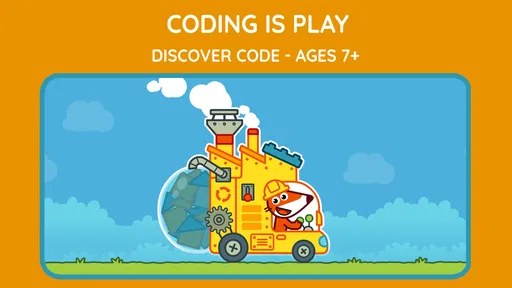
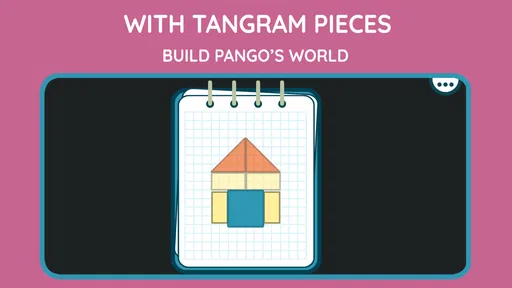
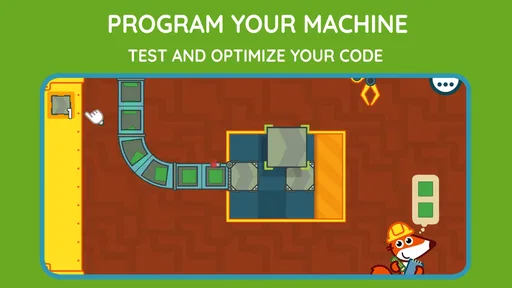
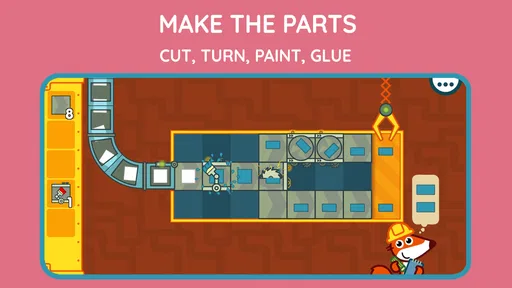
- Introduces coding logic through playful, hands-on factory challenges.
- Simple controls make it approachable for young children.
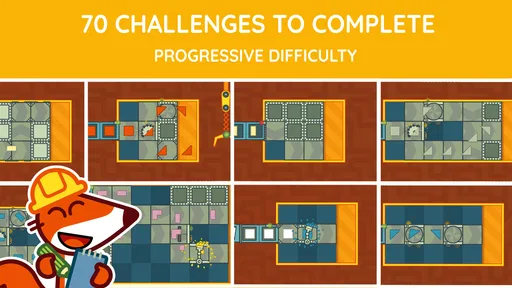
- Levels encourage problem-solving without requiring advanced reading skills.
- Bright visuals and animations help maintain children’s attention.
- Works well as a screen-time activity with clear educational value.
Limitations of Pango Factory: Coding Game
- Some puzzles may feel repetitive after extended play sessions.
- Progression can be too easy for children already familiar with coding concepts.
- Limited variety in gameplay may reduce long-term replay value.
- Younger players may still need adult help understanding some instructions.
- The educational focus may appeal less to children seeking fast-paced action.
Other Releases by Studio Pango - Kids Fun preschool learning games
View All
Pango Kids: Learning Games +3
Educational4.1

Pango Build & Explore City
Educational3.7

Pango Sheep: Count & Play
Educational4.3

Pango Playground for kids
Educational4.0
Similar Picks in This Category
View All
Little Panda Policeman
BabyBus4.0

Monster Trucks Game for Kids 2
Raz Games4.1

Little Panda's Chinese Recipes
BabyBus4.4

Little Panda's Restaurant
BabyBus4.4

Little Panda's Ice Cream Games
BabyBus4.3

Baby Panda Care
BabyBus3.8
Frequently Asked Questions
What is Pango Factory: Coding Game?
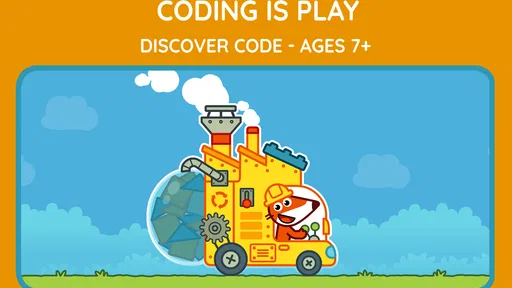
Pango Factory: Coding Game is an educational puzzle game for children that introduces basic programming concepts through playful factory challenges. Players help Pango organize actions, solve routes, and complete tasks by arranging instructions in the correct order. The game focuses on logic, sequencing, problem-solving, and experimentation rather than reading-heavy lessons or complicated coding syntax.
Is Pango Factory: Coding Game suitable for young children?
The game is designed primarily for preschool and early-school-age children, especially those who enjoy visual puzzles and interactive learning. Its simple controls and colorful presentation make it approachable for beginners, although the difficulty can vary depending on the child’s age and familiarity with logic games. Parents may still want to play the first levels together and explain the objectives.
Does the game teach real programming or only basic logic?
Pango Factory: Coding Game does not teach a traditional programming language such as Python, JavaScript, or Scratch. Instead, it presents foundational coding ideas in a child-friendly way, including commands, order of operations, planning, repetition, and cause and effect. These activities can build useful computational-thinking skills without overwhelming children with text, symbols, or technical terminology.
Can children play Pango Factory: Coding Game without an internet connection?
The game is generally intended to be playable offline after it has been installed, which is convenient for travel, waiting rooms, or situations where Wi-Fi and mobile data are unavailable. However, internet access may still be required for downloading the app, receiving updates, restoring purchases, or accessing certain platform services. Parents should check the store listing for the current offline and device requirements.
Does Pango Factory: Coding Game contain ads or in-app purchases?
The availability of advertising, paid content, and purchase options can depend on the version of the app and the platform where it is downloaded. Because this is a children’s game, parents should review the current Google Play or App Store listing before installing it, paying attention to pricing, subscription information, and parental controls. Using device-level purchase restrictions is recommended for added protection.
Play our best games!


